 Pi
Pi一个项目一个窗口One window per project
像 JetBrains 一样按项目分窗口,也能合并到一起。标签可以拖到别的窗口,或者拖出来单开,正在跑的 pi 不会中断。Like JetBrains: each project gets its own window, or merge them. Drag a tab to another window or out into a new one; the pi running in it keeps going.
pi coding agent 的 Mac 桌面端A Mac app for the pi coding agent
多个线程并排跑,每处改动都知道是哪个线程做的,另起一个只读的 pi 审查结果,所有会话都能搜。和终端里的 pi 用同一份会话和配置,随时切回终端。 Run threads side by side, see which thread made each change, have a separate read-only pi review the work, and search every session. It shares sessions and settings with pi in your terminal, so you can switch back any time.
curl -fsSL https://pi.flowsrun.com/install.sh | bash
像 JetBrains 一样按项目分窗口,也能合并到一起。标签可以拖到别的窗口,或者拖出来单开,正在跑的 pi 不会中断。Like JetBrains: each project gets its own window, or merge them. Drag a tab to another window or out into a new one; the pi running in it keeps going.
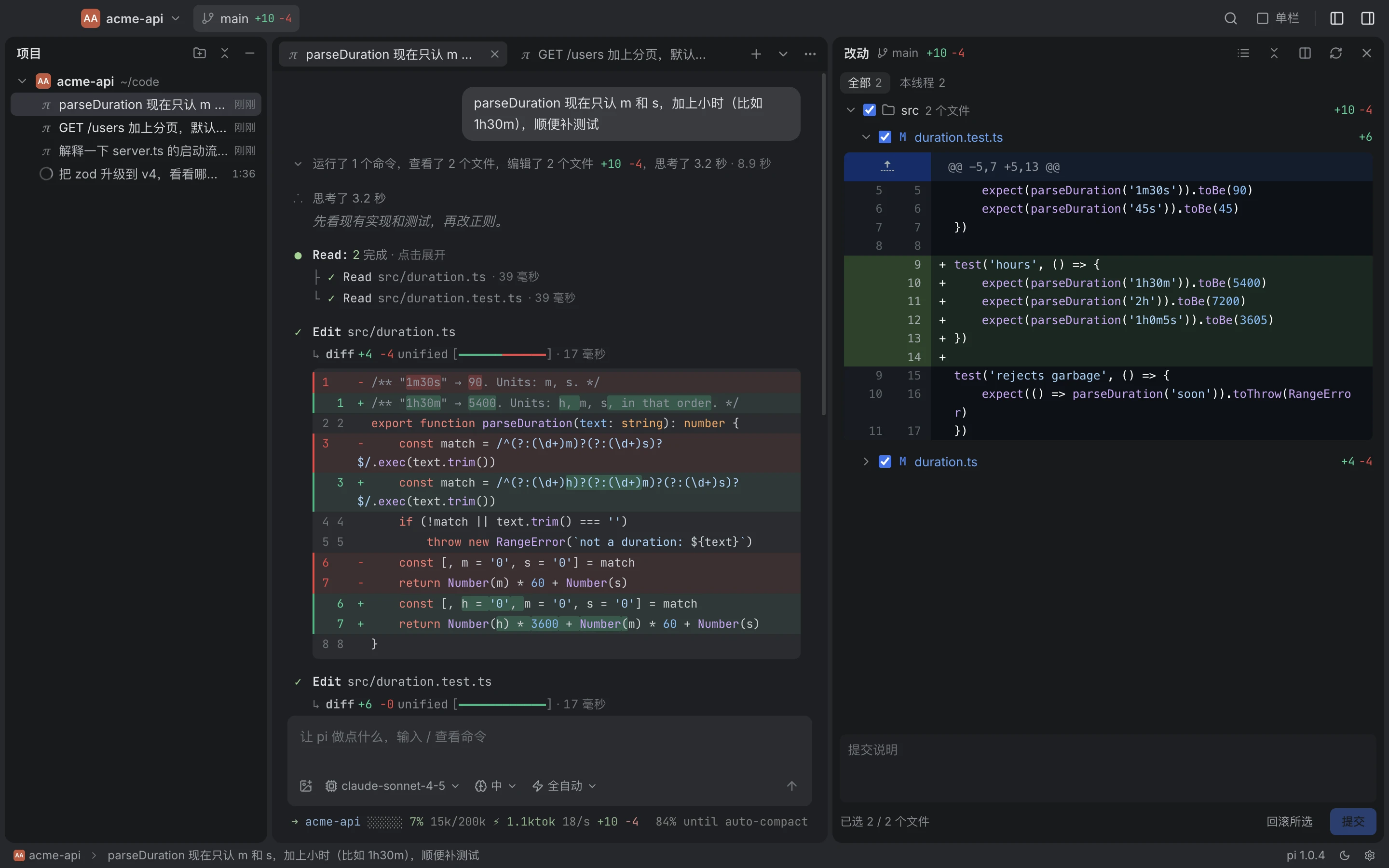
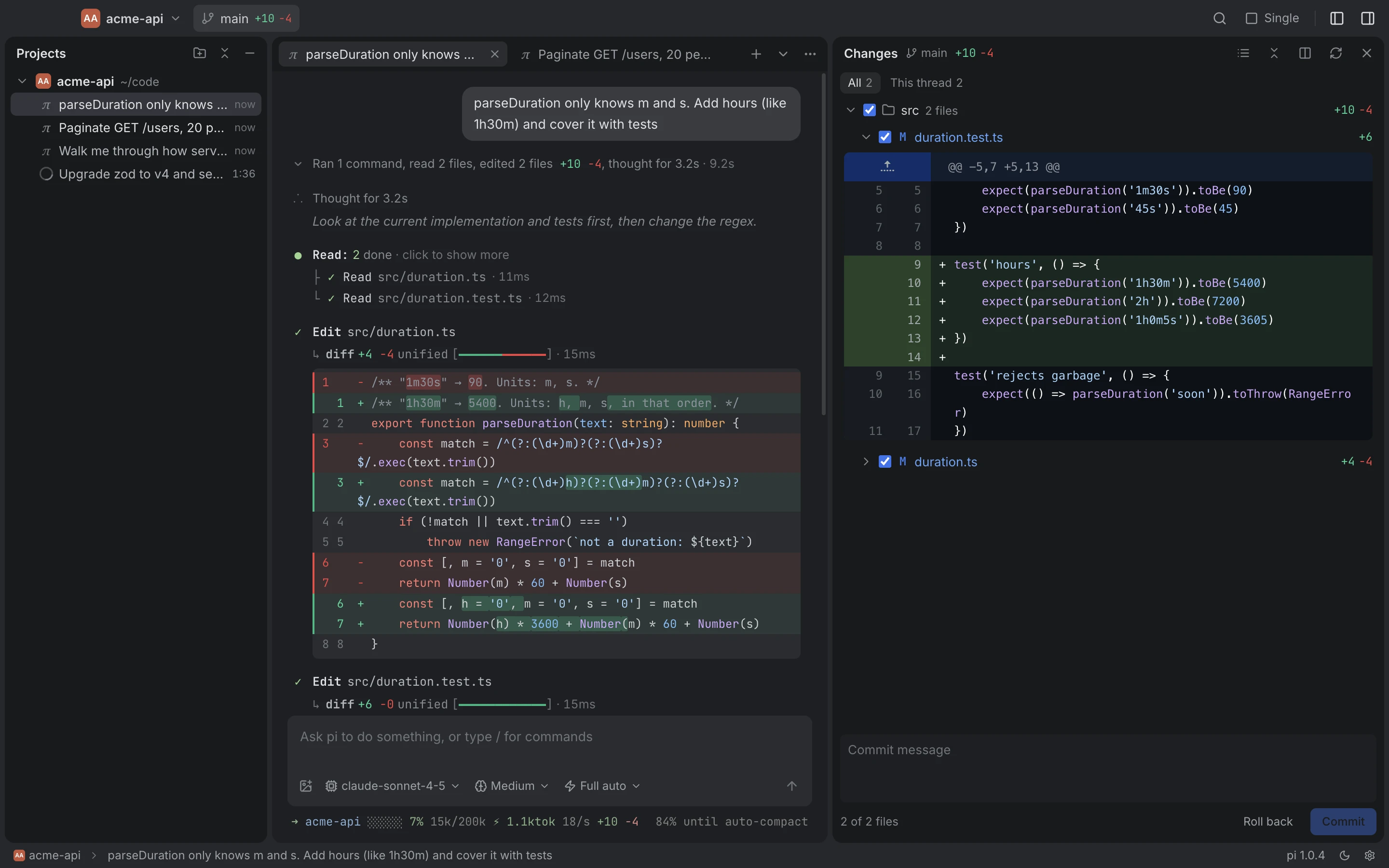
改动面板知道每个文件是哪个线程改的,可以只看当前线程的。两个线程改了同一个文件会标出来。勾选文件,直接提交或回滚。The changes panel knows which thread changed each file and can show just this thread's. Files two threads both changed are flagged. Check files and commit or roll them back.
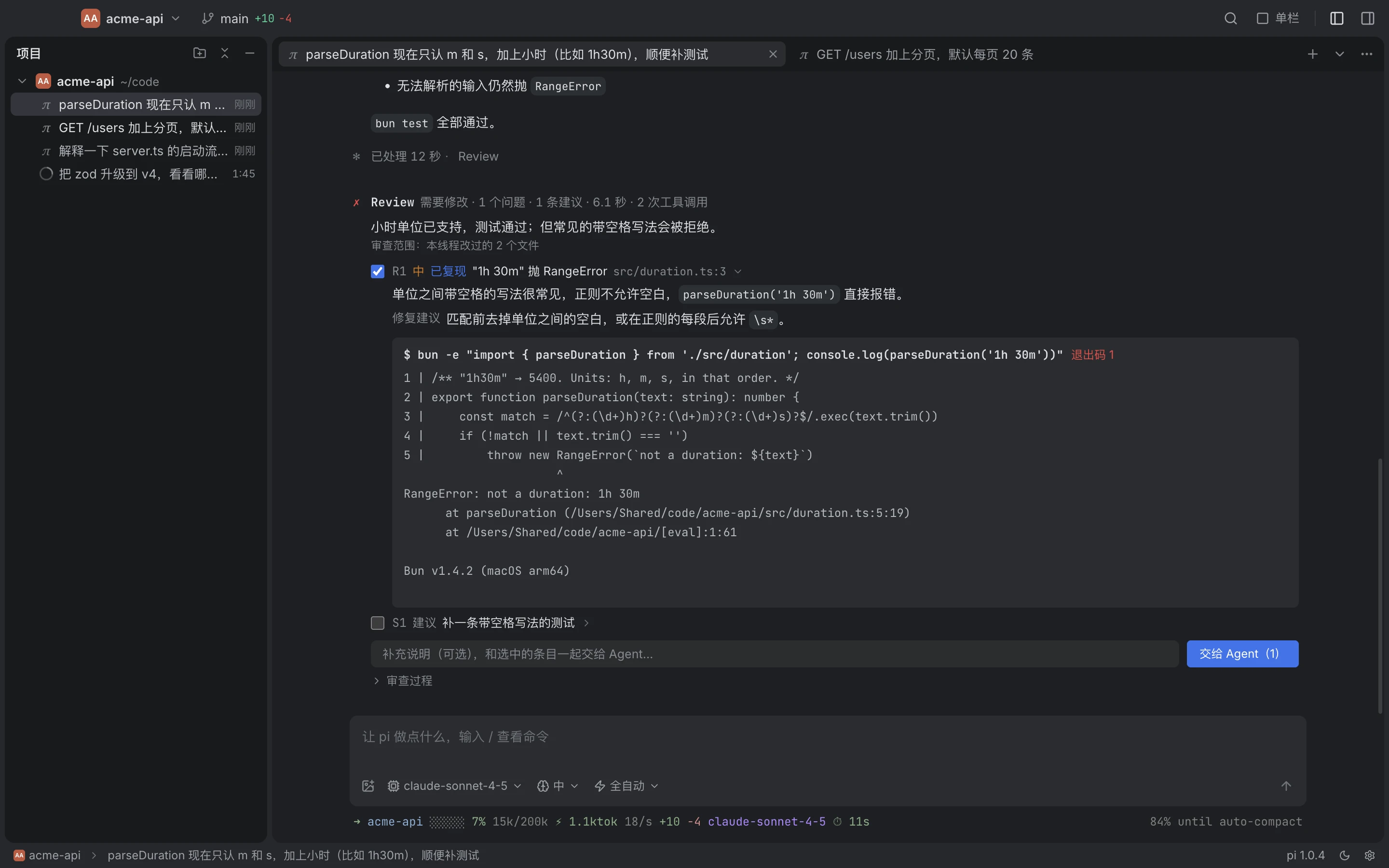
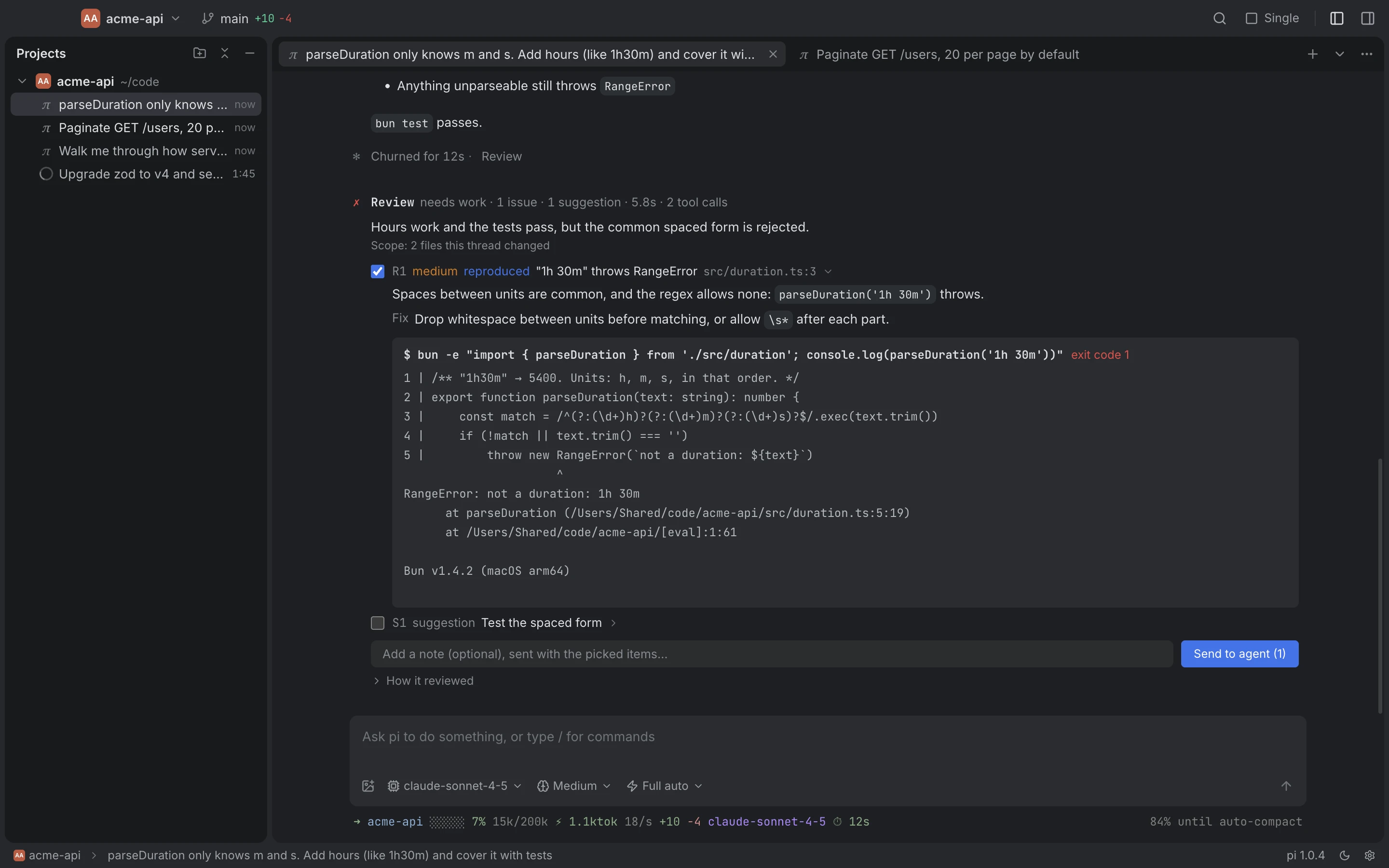
一轮结束后点 Review,另起一个只读的 pi 审查改动并跑命令取证。它看得到你的要求和 diff,看不到 Agent 的推理过程。你挑好条目再交回。Click Review after a turn: a separate read-only pi audits the changes and runs commands for evidence. It sees your requests and the diff, not the agent's reasoning. You pick what goes back.
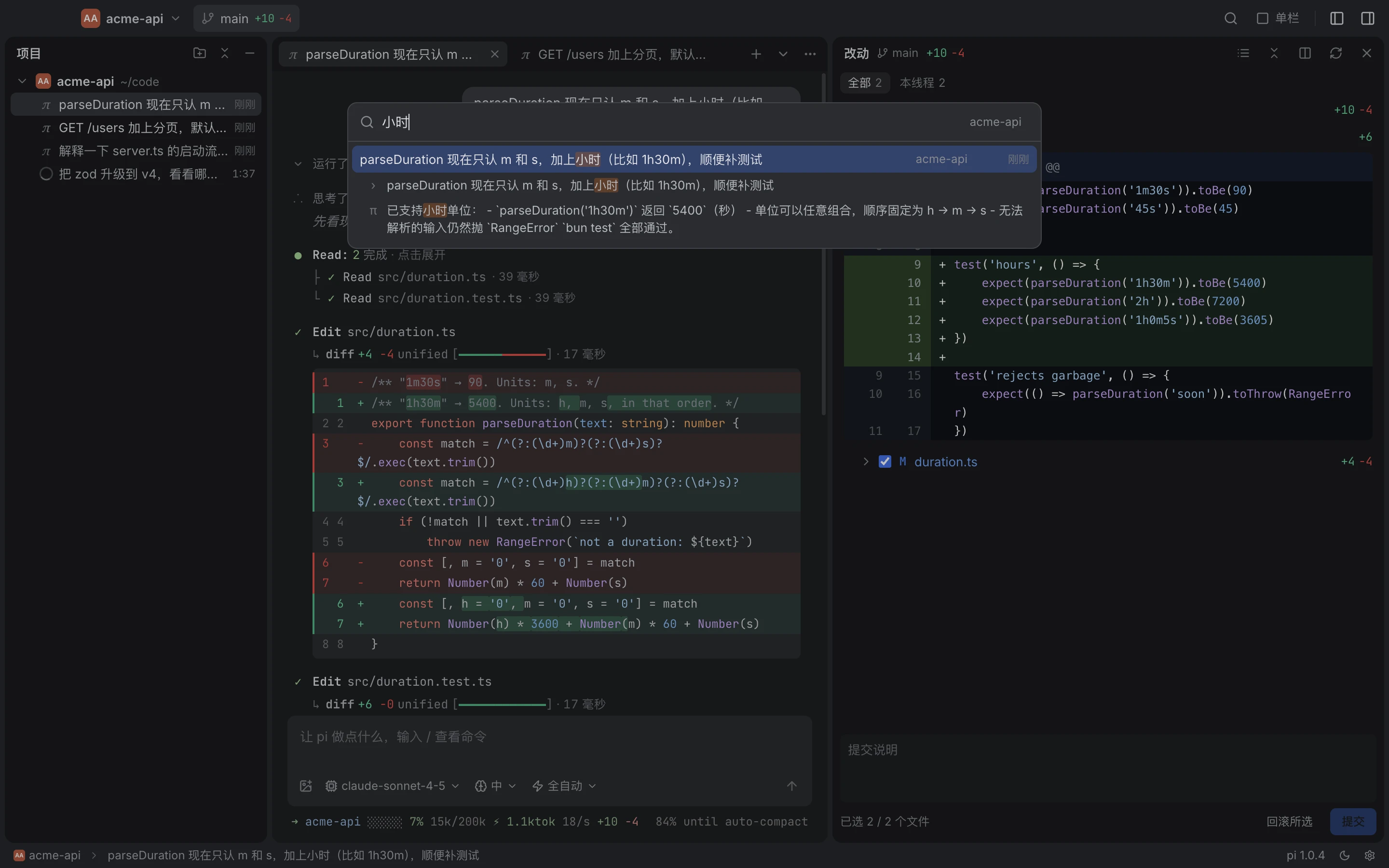
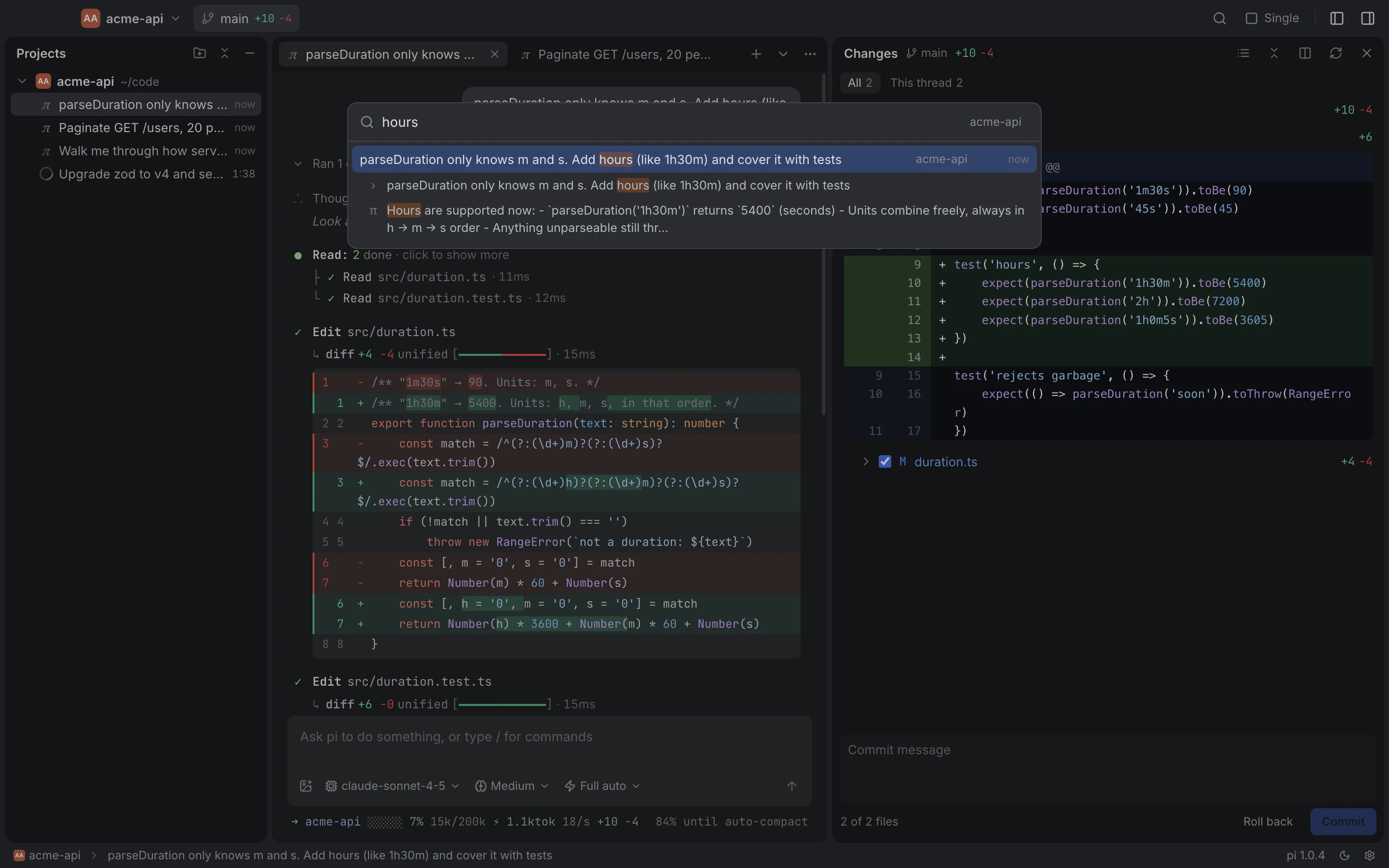
⌘⇧F 搜所有项目里的提问和回复,终端里跑过的会话也在内。回车直接打开那个线程,并定位到那条消息。⌘⇧F searches prompts and replies in every project, sessions from the terminal included. Enter opens the thread at that message.
从任意一次提问分叉出新标签,换个方向试;或者改写这次提问后重发。原来的线程不受影响。Fork any earlier prompt into a new tab to try another direction, or edit it and resend. The original thread stays as it was.
终端里运行的 pi 会出现在项目树里:在跑、在等你回答,还是空闲。如果你在桌面端打开同一个会话,它会先提醒你。pi sessions running in a terminal show up in the project tree: working, waiting for you, or idle. Open the same session here and you get a warning first.
工具审批、Agent 的提问、计划确认都在对话里原地处理,不打断你正在看的内容。Tool approvals, the agent's questions and plan sign-off are handled inline in the conversation, so nothing interrupts what you're reading.
工具调用、diff、耗时、token 用量和终端里一样紧凑。深色扁平,没有多余的边框。Tool calls, diffs, timings and token use are as compact as in the terminal. Dark, flat, no extra chrome.
审查者跑过的每条命令都会记下退出码和输出。只有真正复现出来的问题才标“已复现”,只靠读代码推断的标“推测”。第二次审查会逐条核对上次交回的问题有没有修好。Every command the reviewer runs is kept with its exit code and output. An issue is marked "reproduced" only when it was actually reproduced; anything based only on reading the code is "suspected". A second review checks each item sent back last time.
索引在后台建好并保存在本机,重启后只读新增的会话。所有词都要出现才算命中,不区分大小写。工具输出不进索引,结果里只有对话本身。The index is built in the background and kept on your Mac; after a restart only new sessions are read. A hit needs every word, case-insensitive. Tool output isn't indexed, so results are the conversation itself.
curl -fsSL https://pi.flowsrun.com/install.sh | bash
下载 Pi-arm64.dmgDownload Pi-arm64.dmg
npm install -g @earendil-works/pi-coding-agent模型和 API key 沿用 pi 自己的配置(~/.pi/agent),终端里能用,这里就能用。Models and API keys come from pi's own settings (~/.pi/agent): if pi works in your terminal, it works here.